
Settings
Open Settings from the sidebar’s Settings row, with ⌘, / Ctrl+,, or from the tray icon. It has eight pages.
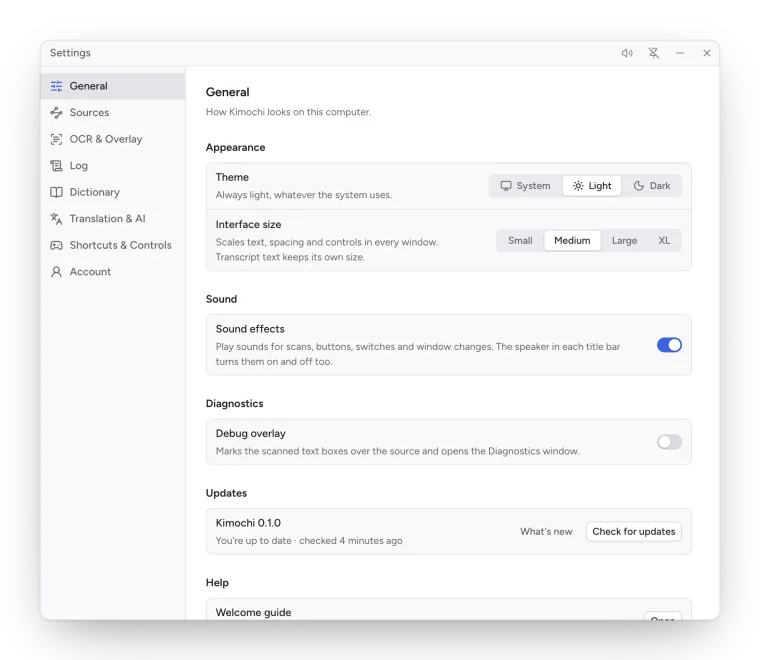
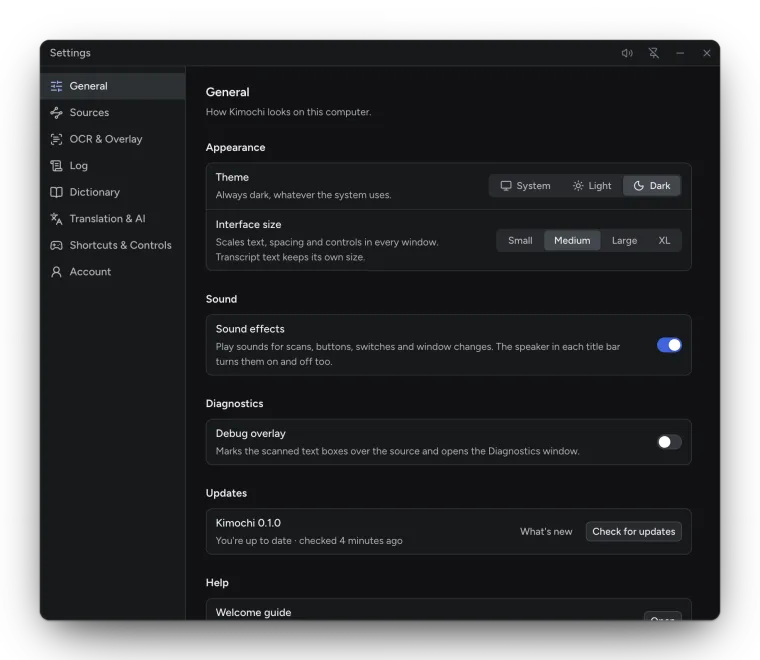
How Kimochi looks on this computer.
| Setting | Default | Notes |
|---|---|---|
| Theme | System | System, Light or Dark. |
| Interface size | Medium | Small, Medium, Large or XL. Scales text, spacing and controls in every window; the Log keeps its own text size. |
| Sound effects | On | Sounds for scans, buttons, switches and window changes. The speaker in each title bar toggles them too. |
| Debug overlay | Off | Marks the scanned text boxes over the source and opens the Diagnostics window. |
| GNOME overlay | — | Linux, GNOME only. See Install on Linux. |
| Kimochi in Steam | — | Linux with Steam only. See Steam Deck. |
| Updates | — | Your version, What’s new and Check for updates. |
| Welcome guide | — | Open runs the welcome guide again. |
Where the Log’s lines come from. See Sources and crop and Texthookers and clipboard.
| Setting | Default | Notes |
|---|---|---|
| Input | Screen | Screen, Quick Shot, Clipboard or WebSocket. |
| ↳ Poll interval (Clipboard) | 200 ms | 100 ms, 200 ms, 500 ms or 1 s. |
| ↳ WebSocket URL | ws://localhost:6677 |
|
| Switch sessions by window name | On | Each window you read gets its own session. |
| Accessibility (macOS) | — | Lets a click on your source bring that exact window to the front. |
| Copy scans to clipboard | Off | |
| Send scans over WebSocket | Off | Hosts a WebSocket server at its URL (ws://localhost:6677). |
Which engine reads the screen, and what is drawn over your game. See OCR engines, The overlay and Auto OCR.
| Setting | Default |
|---|---|
| Engine | Google Lens |
| Overlay mode | Off |
| Group text into regions | Off |
| Filter out furigana and small text | On, threshold 75% |
| Scan after a button press | Off, delay 500 ms |
| Adaptive polling | On |
| Settle after | 2 readings |
| Give up waiting after | 4 seconds |
| Minimum time between requests | 1.2 seconds |
| Base poll interval | 500 ms |
How the transcript reads and which lines it keeps. See The Log.
| Setting | Default | Notes |
|---|---|---|
| Text size | 14 px | 12–48 px; also A− and A+ in the Log’s footer. |
| Read-aloud voice / Voice model | Eleven v3 | With Kimochi Cloud. |
| Japanese only | Off | |
| Skip repeats | 1 | Drop a line that matches any of the last N lines (1–20). |
| Merge streamed lines | Off | Characters to compare: 4. |
| Keep at most | 5000 | Lines per session. |
| Text replacements | None | Pattern rules applied to incoming lines. |
| Pause when idle for | 60 s | The reading timer (10–600 s). |
| Reset Log settings | — | Returns every option on the Sources, Log, Dictionary and AI pages to its default, including the DeepL key and the Anki setup. Sessions, lines and text replacements are kept. |
The pop-up that shows definitions. See Dictionaries and Anki.
| Setting | Default |
|---|---|
| Engine | Built-in Yomitan |
| Open … settings | The engine’s own settings page (Yomitan, Hachidori, 10ten). |
| API address (Yomitan API) | http://127.0.0.1:19633 |
| Pop-up size (Yomitan API) | 480 × 360 |
| Fetch word audio / Play on lookup / Volume (Yomitan API) | On / On / 90% |
| Anki (Yomitan API) | Mining off; AnkiConnect at http://127.0.0.1:8765 |
Help with a line you can’t read yet. See Translation and AI.
| Setting | Default |
|---|---|
| Translate with | Automatic (Kimochi cloud with Kimochi Cloud, else your DeepL key) |
| DeepL API key | Empty; stored locally, never synced |
| Explain → Configure… | Codex CLI, its default model, the default prompt |
Keyboard shortcuts and a game controller. See Keyboard shortcuts and Controller.
| Setting | Default |
|---|---|
| Scan | ⇧⌘8 / Ctrl+Shift+8, no gamepad button |
| Controller menu | ⇧⌘Space / Ctrl+Shift+Space, LS + RS |
| Enable gamepad support | On |
| Select / Back / Back (second) / Previous / Next definition | A / B / Y / LB / RB |
Optional. Everything else in Kimochi works without one. See Accounts and plans and Sync and backup.