
Introduction
Kimochi is a free, open-source desktop app that helps you read Japanese in games. It captures the Japanese text on your screen with OCR, can draw that text back over the game as an overlay, and lets you hover any word to look it up in your favourite dictionary and save it to Anki. It works on games, visual novels, manga, YouTube videos and anything else on your screen.
It is built to stay beside the game rather than be a study app: a few small windows that keep out of the way while you read.
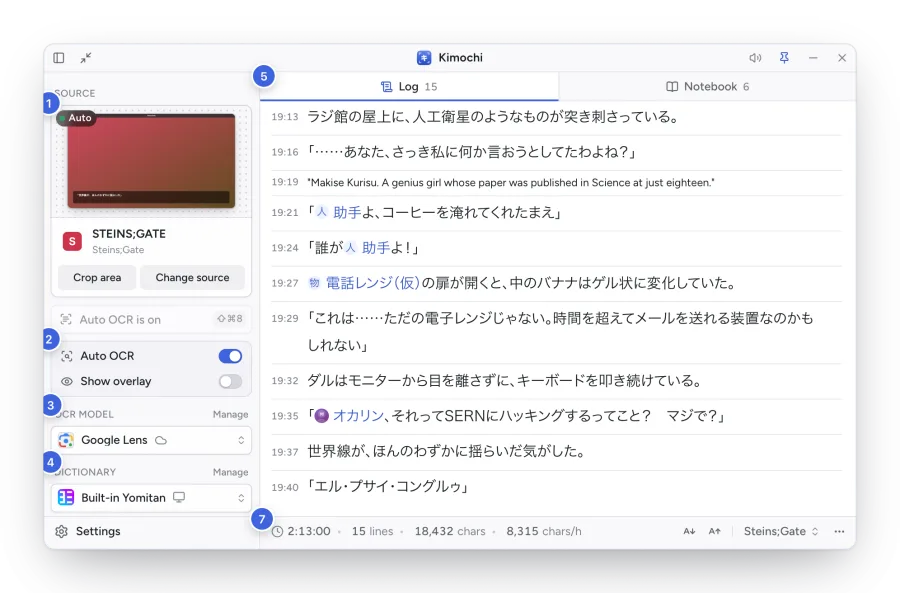
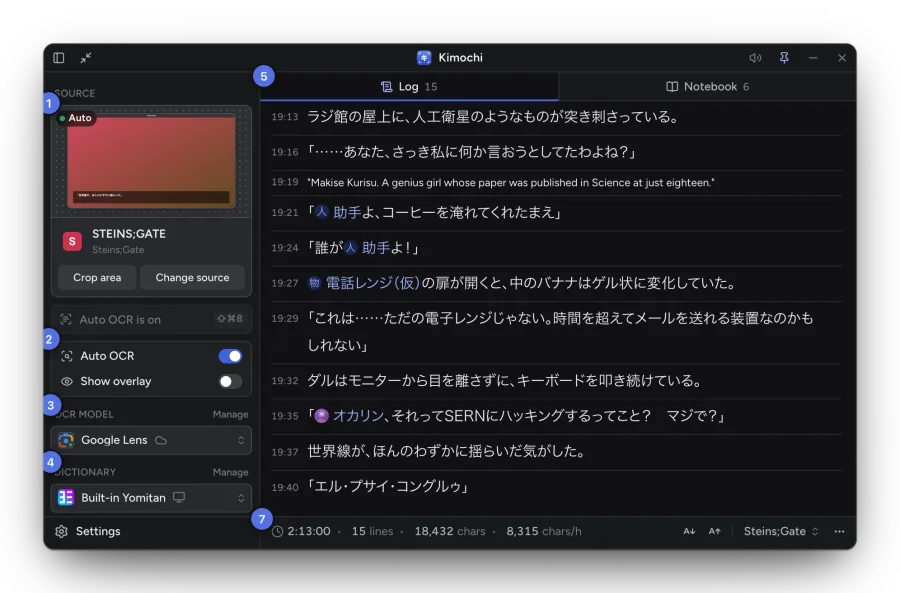
- Source: the window or screen Kimochi reads, with a live preview, Crop area and Change source.
- Auto OCR and Show overlay: scan whenever the text changes, and draw it over the game.
- OCR model: the engine that turns the capture into text.
- Dictionary: the pop-up dictionary engine used for lookups.
- Log and Notebook: the two views of the main window.
- A line: every scan adds its text to the Log, with the time it arrived.
- Reading stats: reading time, lines, characters and speed for this session.
Words used in this guide
Section titled “Words used in this guide”| Term | Meaning |
|---|---|
| Source | The window or screen Kimochi reads, or another input: Quick Shot, Clipboard or WebSocket. |
| Crop area | Part of the source to read, such as the dialogue box. |
| Scan | One OCR pass over the source (or the crop area). |
| Auto OCR | Scanning on its own whenever the text on screen changes and settles. |
| Overlay | The recognised text drawn over the game, so words can be looked up in place. |
| Log | The running transcript of every line, per session. |
| Session | A separate Log, Notebook and stats for one game or book. |
| Notebook | Characters, places and things of a session, recognised in the Log. |
| Controller menu | The radial menu over the game, opened with a shortcut or a gamepad chord. |
| Mini mode | The main window shrunk to its controls. |
Platforms
Section titled “Platforms”Kimochi runs on macOS (Apple silicon), Windows (x64 and ARM64) and Linux (x64 and ARM64), and has a Gaming Mode for the Steam Deck. macOS support is the most mature, and Steam Deck Gaming Mode is in early testing. See Installation.
Kimochi is early: it has nightly pre-release builds, made by one developer.
Free, with an optional Kimochi Cloud
Section titled “Free, with an optional Kimochi Cloud”The whole app works without an account: capture, the overlay, Auto OCR, every OCR engine except cloud OCR, the Log, Sessions, the Notebook, dictionaries, Anki and Gaming Mode. Kimochi Cloud is an optional paid plan that adds in-app translation, AI explanations, read aloud, cloud OCR and sync between computers. See Accounts and plans.